
Bookmap is order flow software that draws the order book as a heatmap: every resting limit order at every price, over time, with the trades that hit them on top. I’ve used it for years, I own a lifetime licence, and it’s on my screen every session, on four charts at once: NQ, ES, gold and crude.
I have traded without it. I’ve also assembled flat-pack furniture without the instructions. Both technically worked.
$147 for your first quarter or $588 for the first year (then $297 a quarter or $948 a year), 14-day money back on this offer. Prices checked 7 November 2026. All plans and prices. The free tier is a look at the software, not live futures.
Affiliate link. Bookmap pays me a commission if you subscribe; it costs you nothing extra, and I was paying full price for years before the link existed.
What’s on my Bookmap screen?
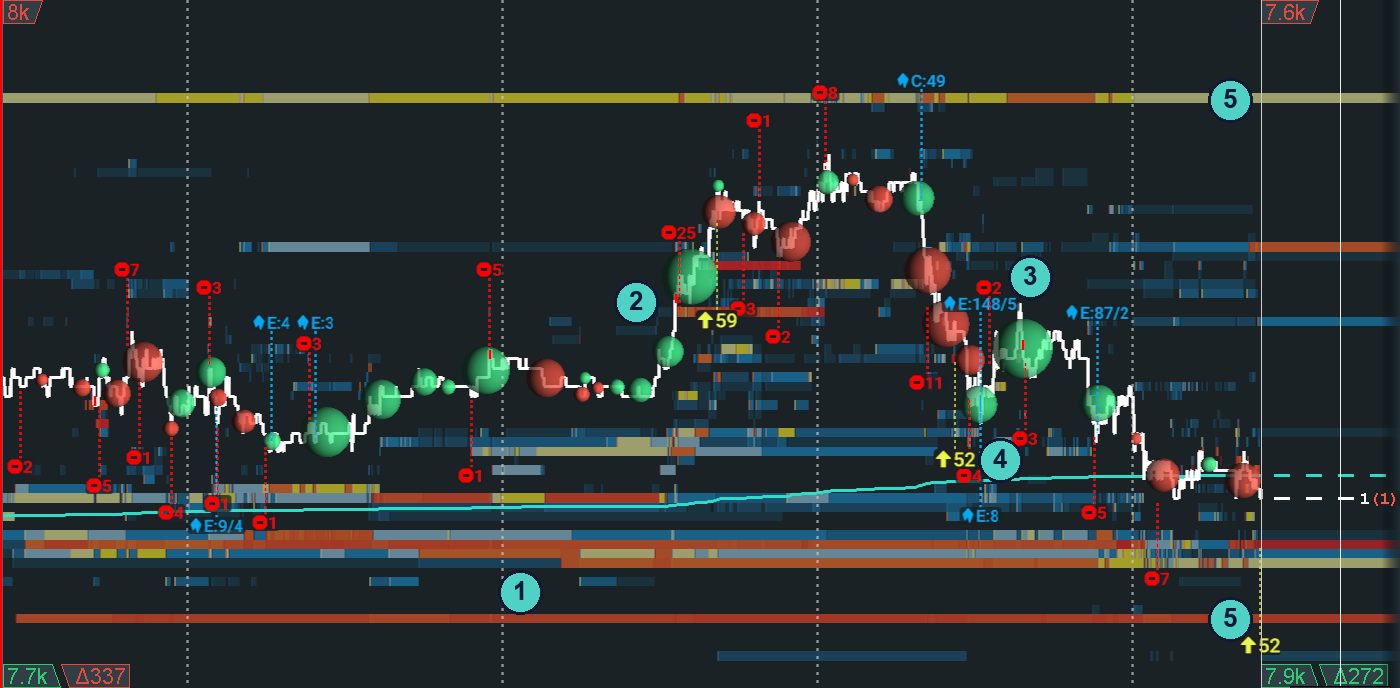
This is my actual layout, not a demo. ES, the last hour into the close, with everything I look at numbered. Click it for full size.
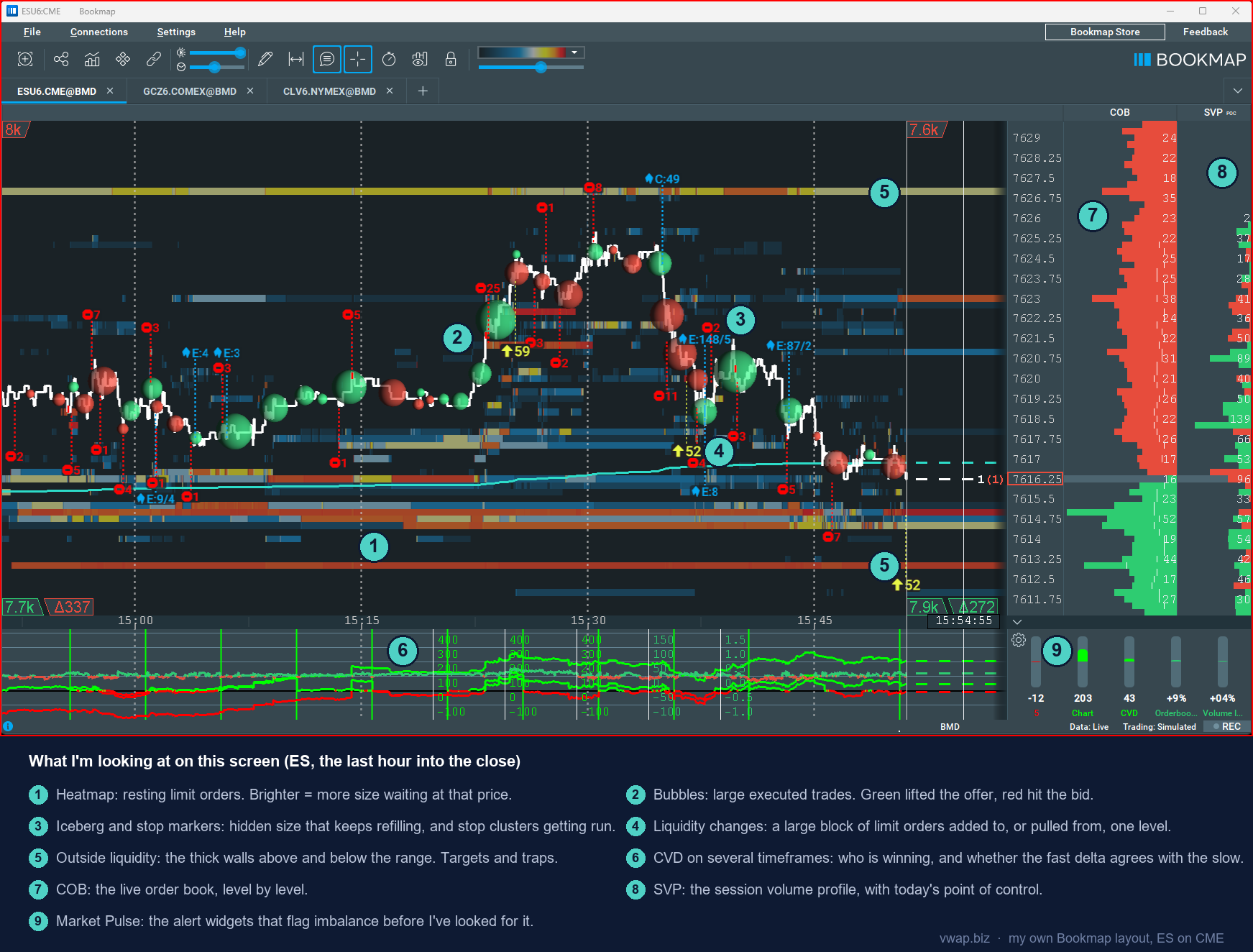
- 1. The heatmap. Resting limit orders at every price. I’m watching whether the size at my level stays, grows, or vanishes as price approaches. Size that holds is a wall. Size that pulls is a trap.
- 2. The bubbles. Large executed trades. A cluster of green at a VWAP Bounce zone is buyers stepping in where the system says they should. Red bubbles into a wall that doesn’t move is absorption, and absorption is the first sign of strength I want before the entry. More on this →
- 3. Icebergs and stops. Blue icons are icebergs, hidden size that keeps refilling at one price. Red stop-sign icons are stop runs. An iceberg sitting on my level is the best confirmation on the screen. Stops being run through it is the warning. More on this →
- 4. Liquidity changes. Yellow arrows mark a large block of limit orders added to a level, or pulled from it. Size added at my level is a wall being built. Size pulled just before price arrives is the trap. More on this →
- 5. Outside liquidity. The thick walls above and below the current range. They’re my targets when I’m in, and my traps when price rotates toward them with no aggression behind it. More on this →
- 6. CVD on several timeframes. Cumulative volume delta on the bottom panel. The fast line tells me who’s winning right now. The slow line tells me who’s been winning. When they disagree at a level, I wait. More on this →
- 7. The order book (COB). The live book, level by level. Same information as the heatmap, in numbers, for the few ticks that matter at the entry.
- 8. Session volume profile (SVP). Where today’s volume has actually traded, with the point of control. More on this →
- 9. Market Pulse. The alert widgets. They flag order-book and volume imbalance before I’ve gone looking for it, which matters when my eyes are on the chart and my ears are on TickStrike. Orderbook Imbalance → · Volume Imbalance →
What does Bookmap show that a candle chart can’t?
The heatmap: resting orders
Every limit order waiting at every price, over time. Brighter means more size. Size that holds as price arrives is a wall; size that vanishes is a trap.
The bubbles: executed size
Trades that actually happened, sized by volume. Green lifted the offer, red hit the bid. A candle shows where price went; the bubbles show who paid to move it.
CVD and icebergs: who’s winning, who’s hiding
CVD keeps score of aggressive buying against selling. Icebergs are hidden size that keeps refilling at one price. Together they tell you who is pushing and who is quietly absorbing it.
How I use Bookmap order flow with the VWAP Wave System™
Bookmap is a confirmation tool on this desk, in the strict sense. The VWAP Wave System gives me the level and the setup; Bookmap gets a vote after that. It can veto a trade. It has never once generated one.
At VWAP and the bands I’m looking for one of two pictures. Absorption: a wall that keeps getting hit and doesn’t move. Or liquidity pulling just before price arrives. The first is a wall, the second is a trap, and most of my screen exists to tell them apart sooner.
Four Bookmap charts run at once: NQ, ES, gold (GC) and crude (CL). That’s a lot of blinking lights for one person, which is why the add-ons in the library below are on my screen: they do the watching I can’t.
The order never changes: setup first, condition named, grade assigned, and then the heatmap gets its say. If there’s no setup at VWAP or a band, nothing on this screen gets me into a trade. More on the whole day in How I Trade.
Days Bookmap decided the trade
- The Model Trade and the One That Got Away With It (15 October, Globex): everything aligned on the first trade, with Bookmap, time and sales and cumulative delta all pointing down.
- Six Minutes at Three O’Clock (5 November, RTH): CVD and TickStrike were the confirmation for the day’s trades.
$147 for your first quarter or $588 for the first year (then $297 a quarter or $948 a year), 14-day money back on this offer. Prices checked 7 November 2026. All plans and prices. The free tier is a look at the software, not live futures.
Which Bookmap plan?
Global
$49 a month
See it live, trade elsewhere. Live futures and stocks data, the full heatmap, up to 10 symbols. No futures or stock orders from the Bookmap chart.
Global Plus
$99 a month
The first tier that trades futures and stocks from the chart, plus Absorption, Sweeps and the imbalance add-ons live. It’s also the tier the offer is on: $147 for your first quarter or $588 for the first year.
Global Premium
$199 a month
When you want the MBO add-ons (Stops and Icebergs, Liquidity Tracker Pro, Tradermap Pro, Market Pulse algorithms) and Options Strike bundled. Otherwise buy them one at a time on the Marketplace.
Data is extra on every paid tier. The full table, lifetime prices and the data fees are on Which Bookmap plan?.
The Bookmap Library
One page per add-on on my screen: what it draws, how I read it, which plan has it. My own screenshots and settings are being added page by page.
-
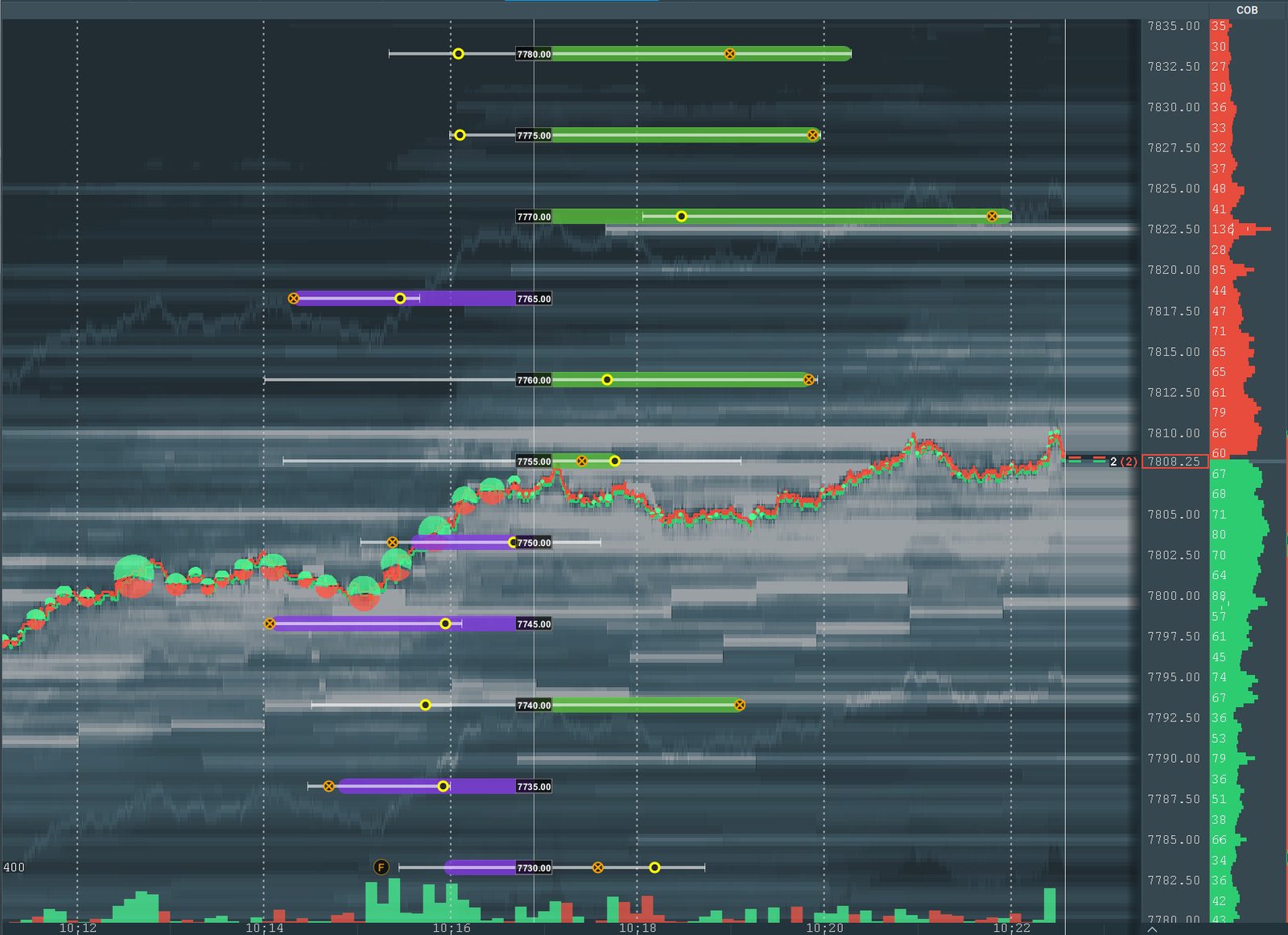
Bookmap Options Strike: live market-maker gamma on your ES chart
New: SPX market-maker gamma, strike by strike, drawn on the ES chart and refreshed every minute.
-
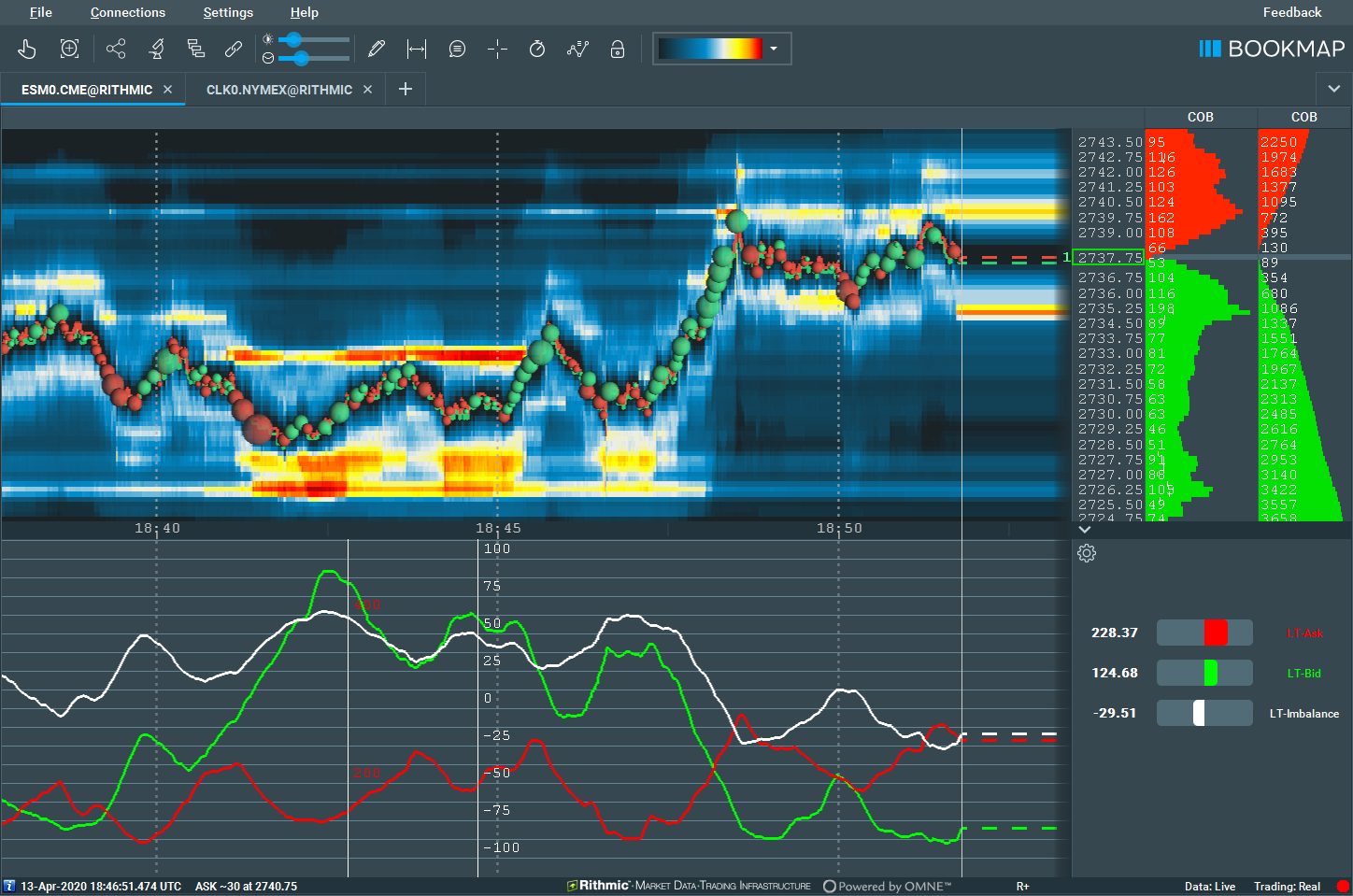
Bookmap Liquidity Tracker: the whole order book in two lines
Adds up bid and ask liquidity across the whole book and shows which side is getting heavier. Pro filters by order size.
-
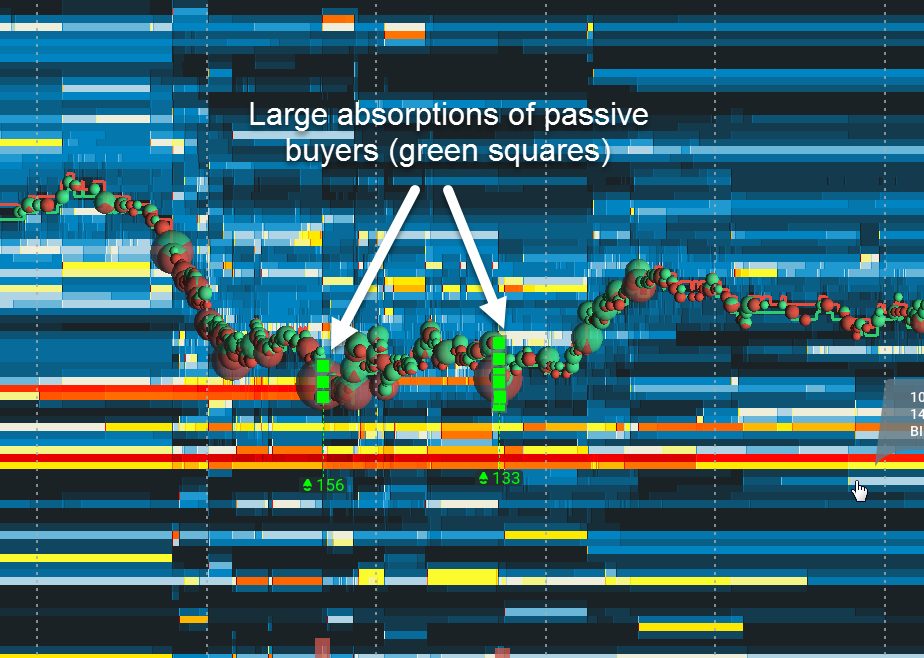
Bookmap Absorption Indicator: when the wall eats the market order
Marks the spots where heavy aggressive volume traded at one price and price barely moved. A wall doing its job.
-
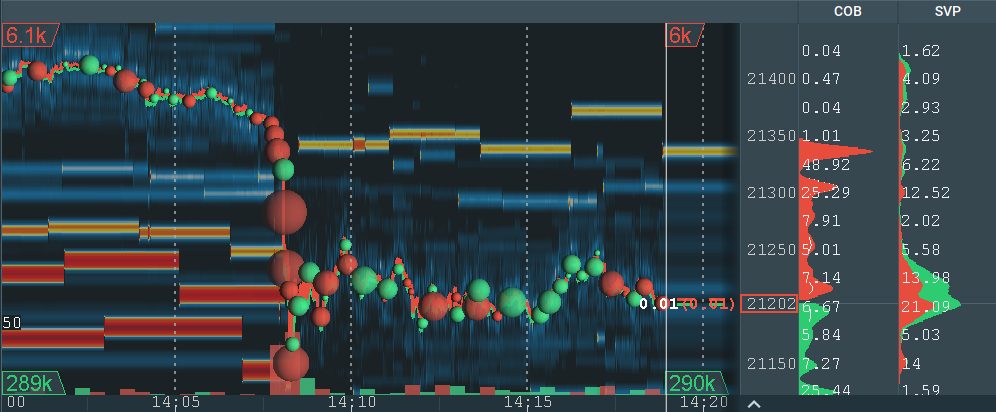
Bookmap Outside Liquidity: the walls you can’t see yet
Numbers in the corners of the heatmap: how much bid and ask size is waiting above and below what’s on your screen.
-
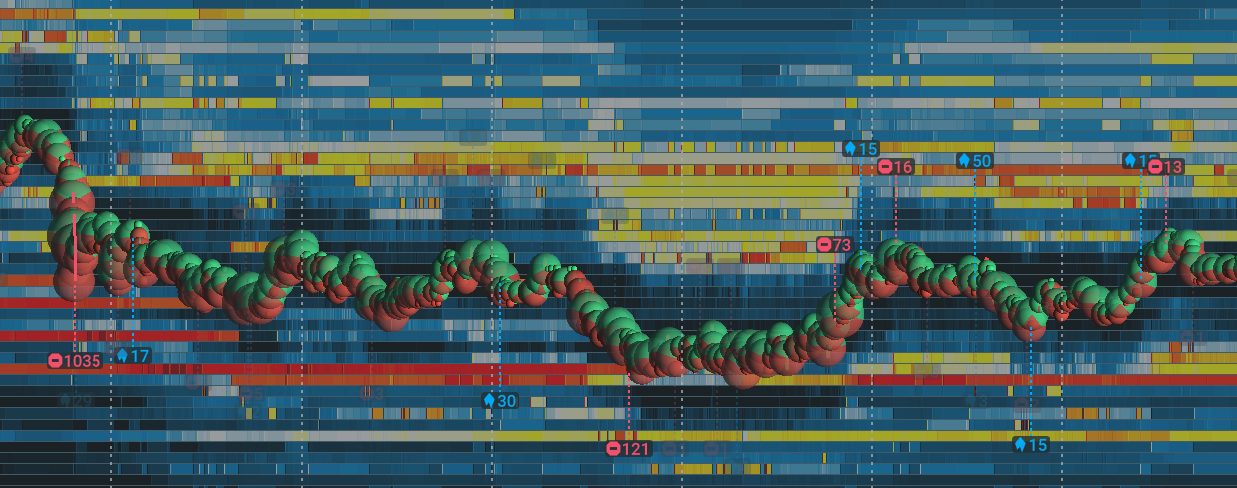
Bookmap Stops and Icebergs: hidden size and stop runs, on the chart
Detects CME iceberg orders and executed stops and pins them to the heatmap. Needs MBO data; part of the MBO Bundle.
-
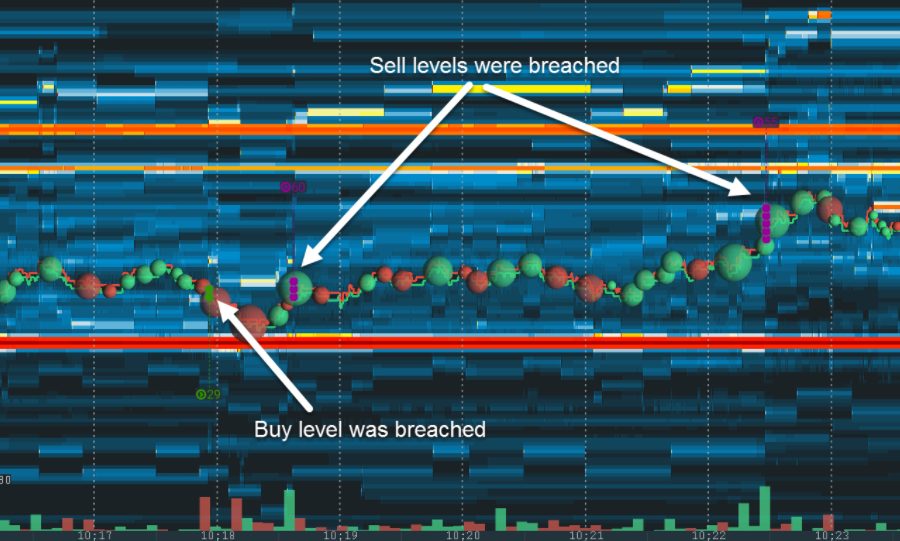
Bookmap Sweeps Indicator: when one push takes out several levels
Marks the places where aggressive orders cleared several price levels of resting size in a short time. A wall breaking.
-
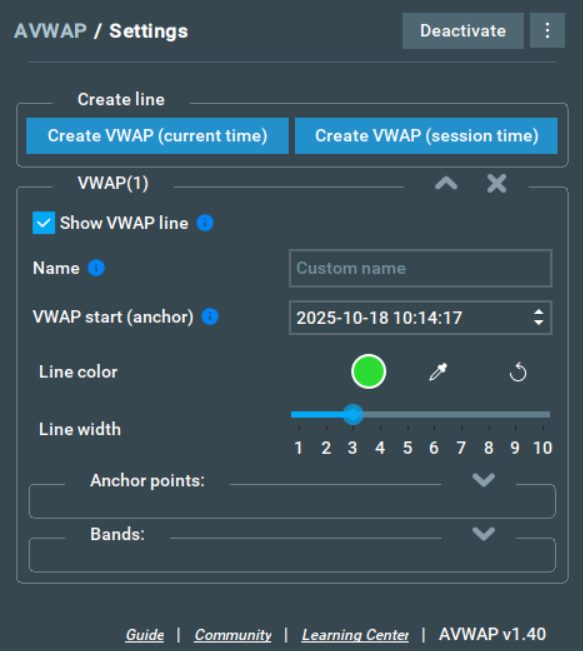
Bookmap AVWAP: anchored VWAP on the heatmap
Anchored VWAP lines and standard-deviation bands drawn over the order book, from any start time you choose.
-
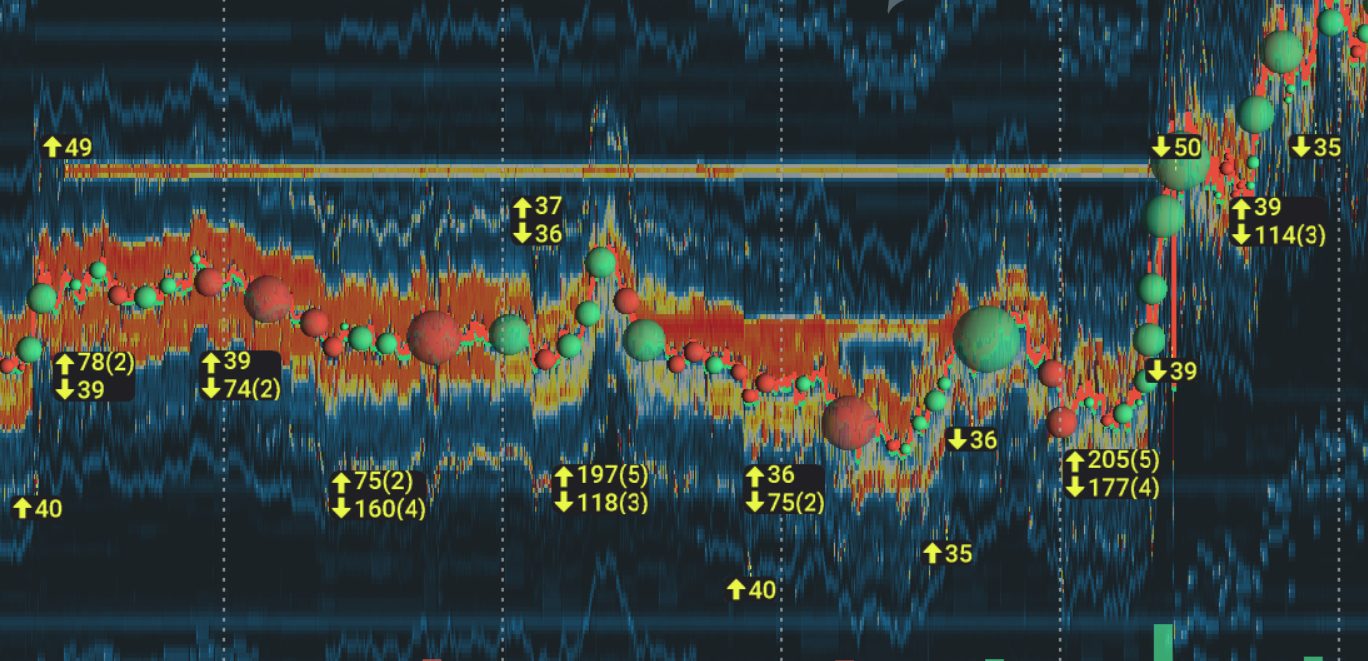
Bookmap Liquidity Marker: size added, size pulled
Arrows on the heatmap where a large block of resting orders was added or pulled. Free on every Bookmap plan.
-
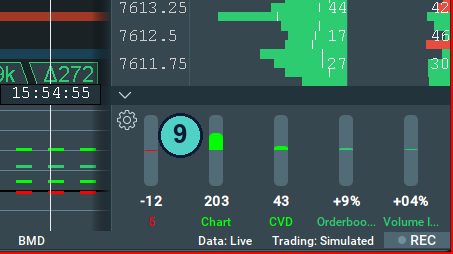
Bookmap Orderbook Imbalance: which side of the book is heavier
Resting bid size against resting ask size, as one number in a widget. Positive when bids dominate the book.
-
Bookmap Volume Imbalance: who is actually paying up
Aggressive buy volume against aggressive sell volume, as one number in a widget. What traders did, not what they said.
-
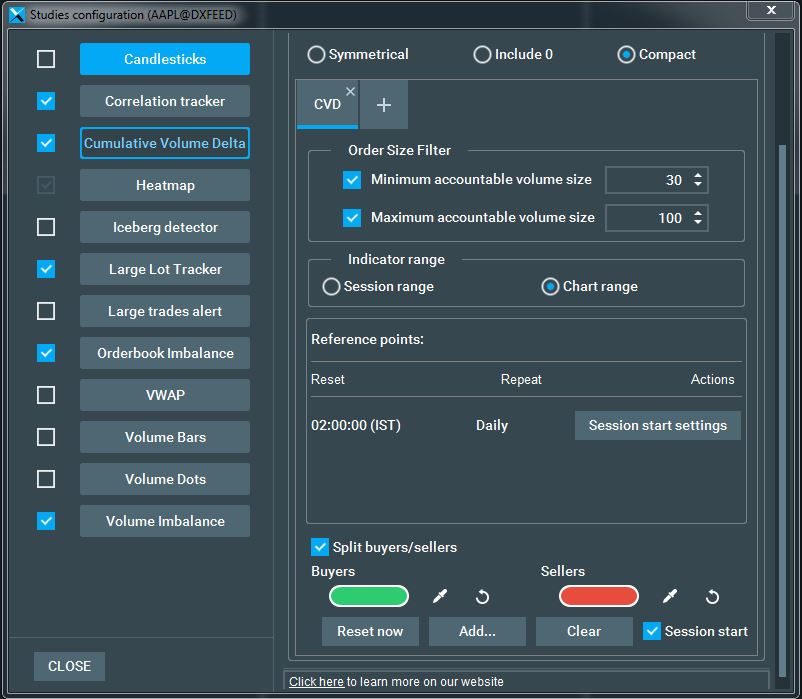
Bookmap CVD: cumulative volume delta, three ways at once
A running total of aggressive buying minus aggressive selling. Free on every plan. I run three at once.
-
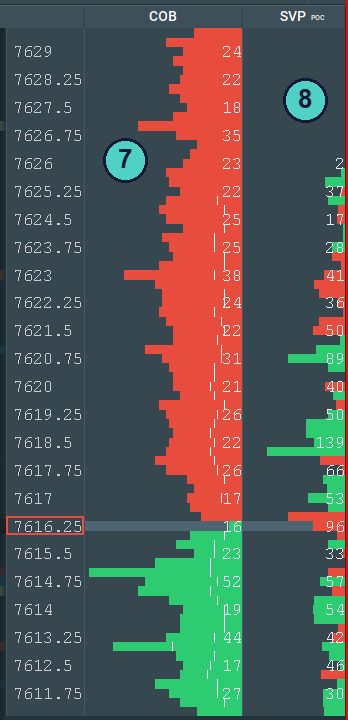
Bookmap point of control: where today’s volume actually traded
The price where the most volume has traded this session, shown in the session volume profile beside the order book.
-
My GEX levels in Bookmap Cloud Notes
How my GEX levels sit on the Bookmap heatmap through Cloud Notes, so you can see whether there’s a wall at the wall.
-
Which Bookmap plan? From someone who pays for one.
Every Bookmap tier and price, the data fees nobody mentions, Global Plus vs Premium, and the current offer.
New: Options Strike. Bookmap now draws SPX market-maker gamma, strike by strike, on the ES chart, refreshed about once a minute. I publish GEX levels twice a day, free on the site 48 hours after each run; this is the whole profile, live. What it does and how I read it →
Want my levels on your own heatmap without pasting anything? Members get a personal Cloud Notes link: the membership page.
Questions people ask
Is Bookmap worth it?
For futures order flow, yes, once you have a setup for it to confirm. Without a setup it’s a very expensive way to watch lights. Learn your setup on plain charts first; add Bookmap when you’re naming the condition at every level.
How long does Bookmap take to learn?
A few weeks before it stops looking like abstract art. The walls and the pulls start to look obvious after a handful of sessions. Bookmap’s 4-hour order flow course is included on every tier, the free one too.
Does Bookmap run on a Mac?
Yes: macOS 11 or higher. Windows needs 64-bit Windows 8 or higher and at least 8 GB of RAM; Linux has limited support. You can install it on several computers and run it on one at a time.
Is the free version of Bookmap useful for futures?
As a look at the software, yes: Digital is free, no card, with live crypto and delayed futures and stocks. For live futures you need Global or higher, plus a data feed.
Why is there a separate Bookmap data fee?
Exchange data isn’t part of the subscription. CME depth through BookmapData is $34 a month per exchange or $79 for the CME bundle; dxFeed and Rithmic are similar. The full list.
Does Bookmap work with my prop firm or broker?
Bookmap takes data from Rithmic, dxFeed and its own BookmapData, and trades through Rithmic, Tradovate and others. If your prop firm gives you Rithmic, Bookmap can use it; ask the firm whether that data is full depth. Trading from the Bookmap chart needs Global Plus or Premium.
Do I need Bookmap Premium?
Not to start. Global Plus covers most of what’s on my screen. Premium bundles the MBO add-ons and Options Strike; you can also buy those one at a time on the Bookmap Marketplace.
Is there a free trial or a refund?
There’s no free trial of the paid tiers; the free route is Digital. Paid subscriptions are non-refundable, except through the Special Offers link, which carries a 14-day money-back guarantee for first-time use.
Try it on your own screen
The offer is the cheapest way into the tier I’d pick, with a 14-day money-back guarantee. The free tier is the cheapest way to find out whether you like looking at it.
$147 for your first quarter or $588 for the first year (then $297 a quarter or $948 a year), 14-day money back on this offer. Prices checked 7 November 2026. All plans and prices. The free tier is a look at the software, not live futures.
Disclosure. VWAP.biz is an independent site written by Scott West, a paying member of Drysdale Trading Group™. The VWAP Wave System™ is Chris Drysdale’s work. He doesn’t own or run this site, but he has reviewed and endorsed it. Links to his book, toolkit, and community are affiliate links: if you buy through them I may earn a commission at no extra cost to you. As an Amazon Associate I earn from qualifying purchases. Nothing here is financial advice, and trading futures carries a risk of loss. Full disclosure · Risk disclaimer